Silverline Blogger Template
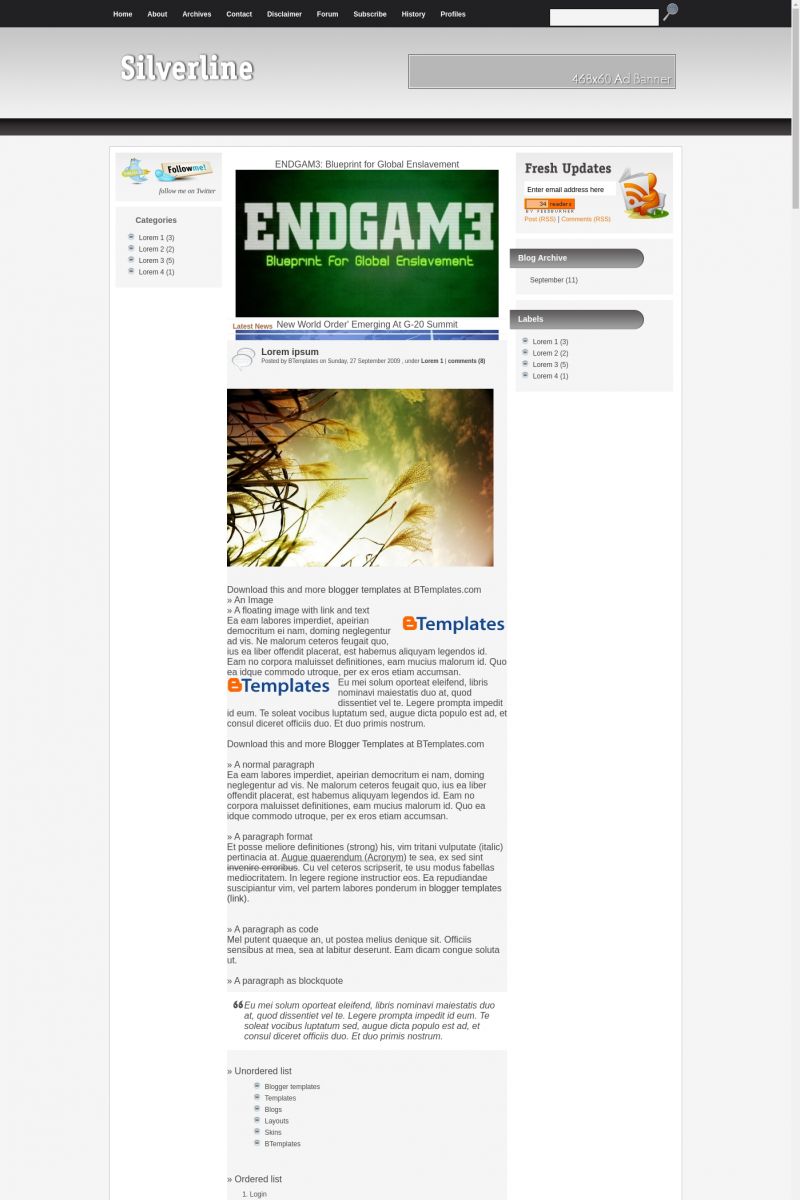
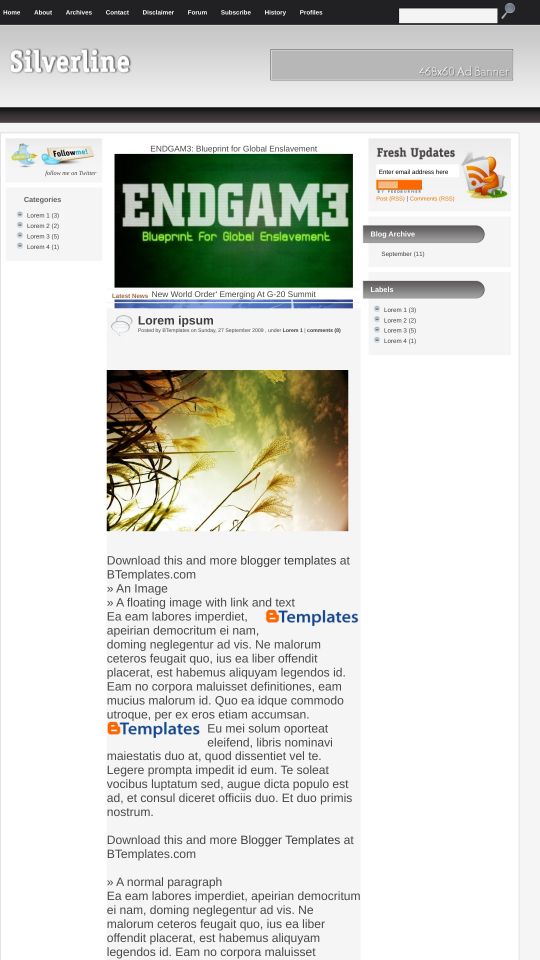
This template does not have a responsive design.
Instructions
About Silverline
Silverline is a free Blogger template adapted from WordPress with 3 columns, magazine-like layout, left and right sidebars, slider, posts thumbnails and neutral colors.
More Magazine Blogger templates:




Credits
Author: Freebtemplates.
Designer: CamelGraph.
Vivian 13 December 2009 at 19:47
Es hermosa!! Lastima que no se pueda usar para poesías por el esquema de “leer más”.
Me encantan tus plantillas, excelente trabajo.
Saludos.
555aron 13 December 2009 at 19:49
hi!
that good dish
The usare
quea excellent
everything!
O'Donnell 13 December 2009 at 20:31
Que mal que tenga AdSense, porque el diseño esta muy bueno!
ariofk 13 December 2009 at 20:52
ok
hackublog 15 December 2009 at 3:45
So Cool.
G 16 December 2009 at 15:40
This is nice template, but the “read more” f*** with the template :/
salvador 20 December 2009 at 23:56
Esta muy buena, pero como se puede hacer para ocupar todo el ancho en la parte superior donde sale el logo y un bannner, como forma de colocar un titulo grande?????
si se puede hacer que alguien me ayude porfavor
saludos
Duane 2 January 2010 at 11:21
ESSA PORRA SO MANDA TEMPLANTES EM INGLES….
Jeniffer 2 January 2010 at 16:32
Duane,
será que é pq o site é em INGLES?
vem aqui, usufrui do trabalho deles e ainda reclama!
Brasileira estúpida!
bebey 5 January 2010 at 1:50
thak’s this nice templates and i use this templates for my blogs, best regards
Alfred 7 January 2010 at 23:28
well designed
Darius S 17 January 2010 at 13:59
I wanted to use it but it doesnt work good in Opera and IE. Issues with javascript although I hosted them myself and linked properly :( too bad, now i have to look around here for another template.
P.S. also, complete content is not ”full-ready” for blogspot, many work in html to make it work
setan alas 22 January 2010 at 11:20
what this template ? really is nice, but i hate it, why ? when my blog upgrading to .com and .co.cc , your slide can’t walk ! is bad… and when you ….. “test self” on .co.cc or .com !
sorry, and i hope you must upgrading this template again ! sorry for it !
Magson 24 January 2010 at 1:52
This template is nice for my blog to include ads.
Jered 24 January 2010 at 21:34
I have the same problem as Seten Alas. When I changed to a custom domain name, it screwed up the template. The slideshow doesnt work and the previews on the front page are gone and it shows the full post.
Someone help
Nacho 29 January 2010 at 19:44
Muy lindo el diseño de verdad es una de las mejores del sitio.
saludos
Vanesa 2 February 2010 at 14:06
Me gustan tus plantillas.. ¿Hay alguna para locutores?
I have SOme 4 June 2010 at 10:31
Hi Web Designer!
I have some problem with this template
1 I cant change the header ?
2 I cant remove the Banner near to header?
Plz help me
Thanx
I have SOme 4 June 2010 at 10:31
@hackublog:
Enjoy it in your live
with site shoaib01.blogspot.com/
Claudia 4 June 2010 at 21:34
@I have SOme: All instructions are explained in the author’s site. Please, click on the “Template Settings” links highlighted above. Notice that there is a PSD file included in the package wich allows you to create your own logo.
Mark 13 June 2010 at 20:59
My problem I am having is ever since I deleted the slide show and added a 468×60 banner image in post, the image banner size shortens when I click back button or Home button. How do I fix this?
Thanks
Mark