Daily Notes Blogger Template
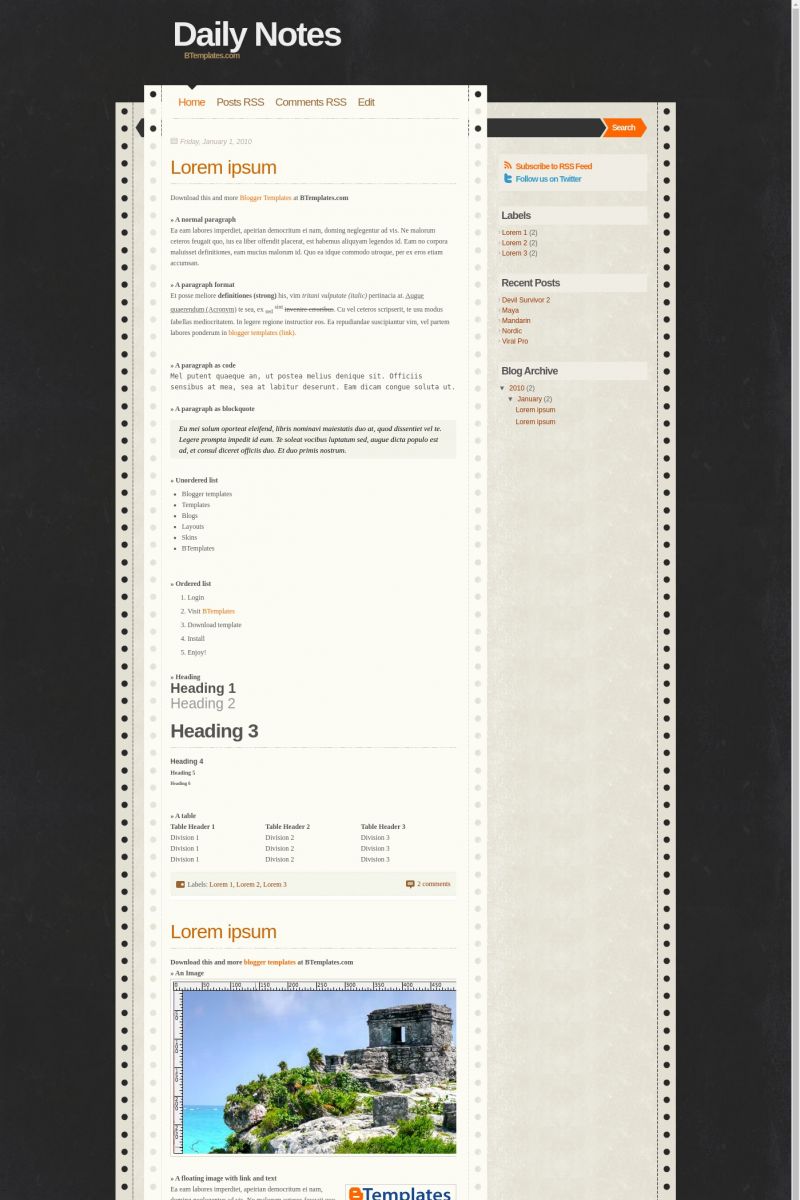
This template does not have a responsive design.
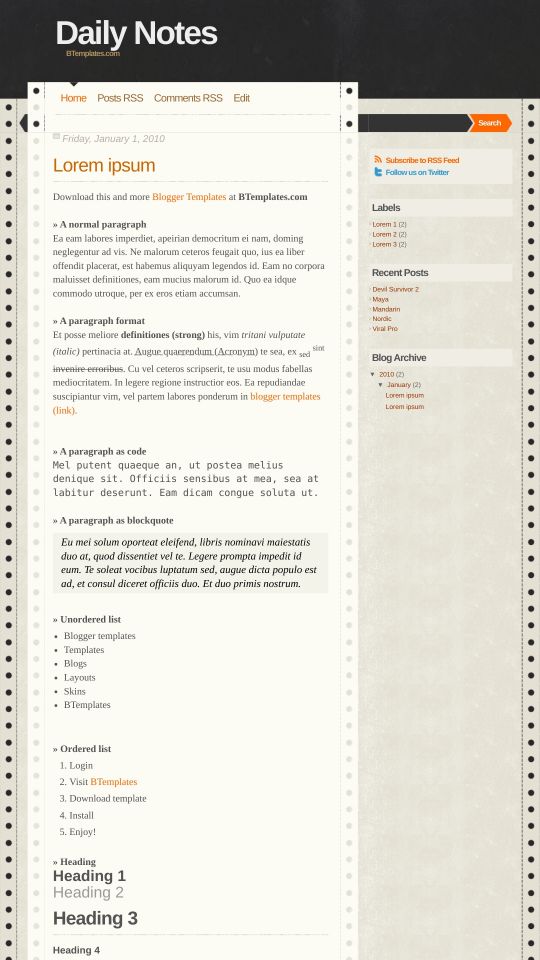
Instructions
About Daily Notes
Daily Notes is a free Blogger template adapted from WordPress with 2 columns and right sidebar.
Excellent template for blogs about to write a diary.
More Adapted from WordPress Blogger templates:
Credits
Author: Templates Block.
Designer: Design Disease.
Junior 22 January 2010 at 8:19
Ótimo Template, Bonito e leve
Kat 22 January 2010 at 13:27
Love it!
Volverene Evo 23 January 2010 at 5:20
Junior: Gracias :)
kat: Thanks Kat :)
Juan 23 January 2010 at 15:06
por qué no se pueden crear y poner cajas en la parte de abajo de los temas?
y las cajas porque no se pueden arrastrar y soltar con facilidad?
Juan 23 January 2010 at 15:11
Olviden la pregunta anterior, ya la resolvi. =)
Volverene Evo 23 January 2010 at 19:57
Gracias Juan:) Lo siento por una respuesta tardía …
Volverene Evo 23 January 2010 at 19:58
Thanks Lalada :) I hope you`ll love it :)
bloggeround 28 January 2010 at 20:03
nice template
I like it… :D
Volverene Evo 28 January 2010 at 23:52
Thanks Bloggeround :) Check back soon at Btemplates for more like these :)
iascdu 5 March 2010 at 22:17
Saludos, muy buena la plantilla, solo tengo un problema, en mi blog hay dos autores y me gustaria que cada post este señalado con el autor correspondiente, he visto que hay planillas que hacen esto pero esta no, ¿habra alguna forma de hacerlo?
Gracias
saguilarcom 16 March 2010 at 12:19
Hola, mi pregunta va referida a la posibilidad de incluir el logo de Linked In y de otras redes sociales junto al de Twitter, ¿cómo se hace en programación?
También tengo un problema: al clickar sobre el título de cada entrada, la página da error y no se abre la entrada, ¿a qué puede deberse, cómo solucionarlo?
Gracias por el template y la respuesta.
Volverene Evo 17 April 2010 at 23:33
Iascdu: Gracias:)
Para mostrar el autor del mensaje:
1. Ir a la página “Edición de HTML:
2. Con CTRL + F, encontrar “. Post-autor (”
3. El navegador te llevará al siguiente código:
. Post-autor (
display: none;
)
4. Retire el código anterior.
5. Vista preliminar y Guardar cuando haya terminado!
Gracias:)
Volverene Evo 18 April 2010 at 0:03
saguilarcom: El título de la entrada no tiene ningún problema hasta ahora. Usted probablemente tendrá que volver a instalar la plantilla correctamente o puede haber problemas con el blogger o el navegador. La plantilla está trabajando muy bien;)
Para agregar vínculos medios de comunicación social, es un poco difícil.
Esto es lo que tiene que hacer:
1. Ir a: Editar página HTML
2. Con F CTRL, busca “. A.tweet syn”
3. El navegador te llevará al siguiente código:
. A.tweet syn (color: # 3399cc; fondo: url (https://4.bp.blogspot.com/_k_DnmK4oz2Q/S1eufJrGMzI/AAAAAAAAAik/RIX5VWn7wjs/s1600/syn-2.png) no-repeat arriba a la izquierda; padding : 2px 20px 0px 2px;)
4. Justo debajo de este código, agregue el siguiente código:
. A.linkedin syn (color: # 3399cc; fondo: url (Pon tu icono Linkedin) no-repeat arriba a la izquierda; padding: 0px 2px 2px 20px;)
5. Sustitúyase “Pon tu icono de Linkedin – Relación de la imagen” con su enlace LinkedIn imagen de icono
6. A continuación, busque “class =” tweet ”
7. El navegador te llevará al siguiente código:
Síguenos en Twitter8. Agregue el código de seguimiento justo debajo:
Sígueme en LinkedIn9. Vuelva a colocar los enlaces y el título con su enlace Linkedin.
10. Usted puede hacer esto para los enlaces más social, pero, tenga en cuenta, youll tiene una añadir una identidad propia a cada enlace como:
en el Paso > clase
= 'LinkedIn' / code>Gracias :)
saguilarcom 18 April 2010 at 14:14
Gracias volverene Evo,
Aunque reinstalo la plantilla los títulos siguen dándome error. Puede que sea cosa de blogger.
Para sindicar Linkedin, he seguido los pasos, pero en explorer no se ve la imagen, ni sé que como hacer que el título “sígueme en Linkedin” también sea un link.
Saludos,
Volverene Evo 18 April 2010 at 19:51
Probablemente un error en el blogger.
Usted debe utilizar Google Chrome o Firefox. Eso puede ayudar:)
bloguser 19 April 2010 at 6:47
how to put the timestamp on the blog post? I’ve set the time stamp but it didn’t appear on the blog.
Volverene Evo 19 April 2010 at 20:14
bloguser:
1. Goto HTML
2. Using CTRL+F, find “.post-timestamp {”
3. The browser will take you to the following code:
.post-timestamp {
display: none;
}
4. Delete the above code.
5. PREVIEW and SAVE when done
Thank you! :)
Claudia 19 April 2010 at 21:10
Bloguser:
Go to Layout/Edit HTML/Expand widget templates and find this piece of code:
Then, replace it by this one:
Bloguser 19 April 2010 at 21:52
Thank you for your help! ;D
Diptea 26 April 2010 at 19:55
Is it possible to increase the width of the main column without the content to spill out ? I have a problem with the pictures. I can upload the vertical picture and post them at the largest size, but the same cannot be done with the normal horizontal picture.
Volverene Evo 24 June 2010 at 21:47
@Diptea: That can be done but doing so will cause the content side to over lap the sidebar side and that may not look good. Let me know if you still want to do it, and I’ll provide you with a solution to that.
Thank you :)
Volverene Evo 25 June 2010 at 5:16
Dear users of Daily Notes template: If your Page Navigation Links (Older Posts, Newer Posts) are not working with this template, here’s what you need to do to fix this:
1. Goto EDIT HTML page.
2. Using CTRL+F, find any of the following link:
“http://evo13.googlecode.com/files/nav-12.js”
OR
“http://all-in-one-blogger-widget.googlecode.com/files/paginator3000.js”
3. When you find any of the above two links. Replace it with the link below:
“https://www.opendrive.com/files/6549279_VT1Jl/paginator3000.js”
4. Click SAVE and VIEW BLOG to see the page navigation links come back again.
That’s it!
For any further assistance that you may require, please do ask :)
Thank you
Roseno 26 July 2010 at 3:43
Hi,
I love this template a lot and ive applied it to my blog, but now i get difficulties to modified it standard menu into dropdown menus.
Can somebody help/show me how to modify it please?
Volverene Evo 28 July 2010 at 1:08
@Roseno: Actually “Daily Notes” does not feature “Drop Down menus”. If you’d like to install Drop Down menu on your blog, the following page might be of some help :)
“http://www.bloggodown.com/2009/06/simple-drop-down-menu-for-blogger.html”
roseno 28 July 2010 at 3:41
@Volverene Evo: Thank for the assistent Evo, ill check it directly