Traveling Blogger Template
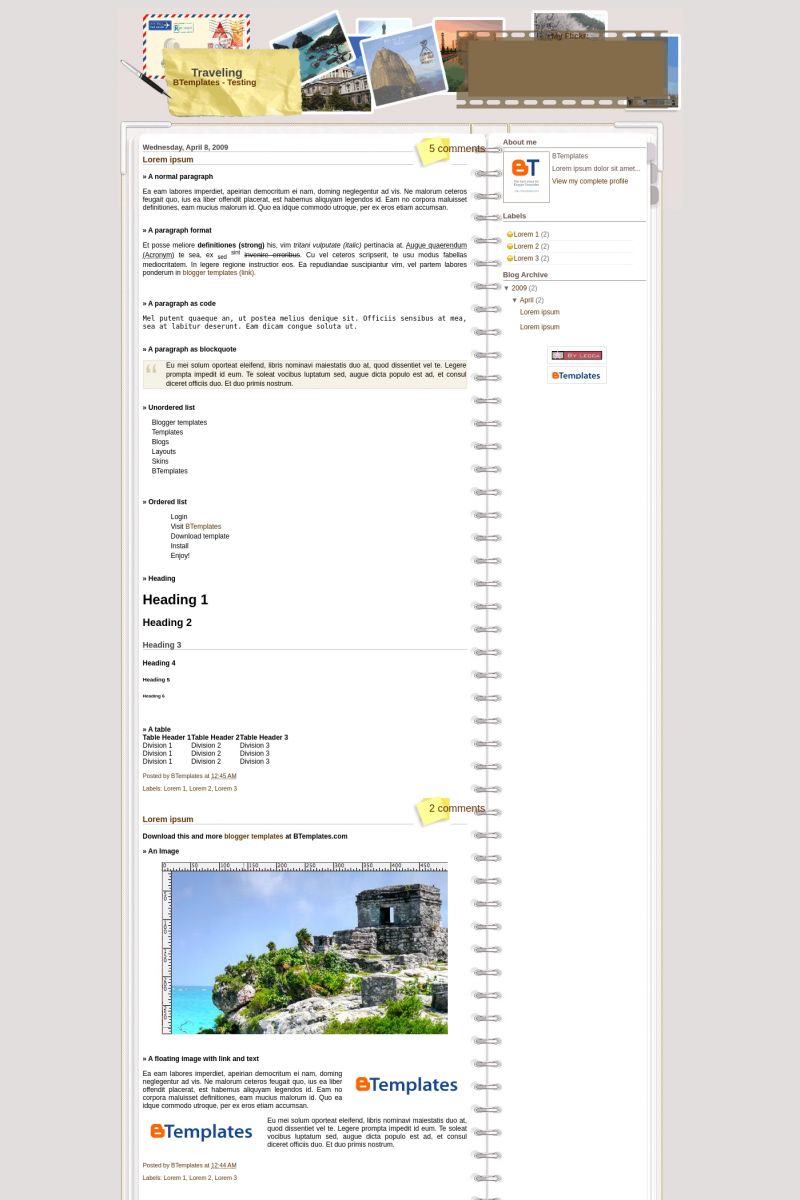
This template does not have a responsive design.
Instructions
About Traveling
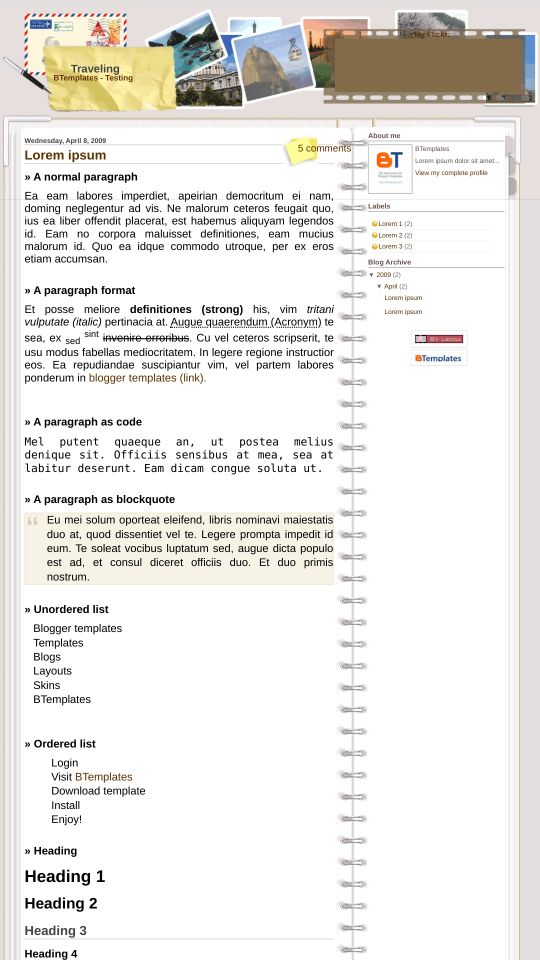
Traveling is a free Blogger template with 2 columns and right sidebar.
Excellent template for blogs about photography or travel.
More Travel Blogger templates:



Credits
Author: Lecca.
ñemosh 10 April 2009 at 13:03
Sara 21 April 2009 at 20:12
I like the template, but I can’t figure out how to configure the My Flickr: feature which is a very cool feature. Can anyone push me in the right direction?
asahi 30 April 2009 at 3:47
bekos flickr had been bought and combined into Yahoo!, the old java gadge is no longer useful…
i tried and studied and realized that you have to get the it in your photo sets…
and it’s so small, you have to set your gadge on 100*75…
however the effect is not very great…sigh!
Ihtas 7 May 2009 at 5:23
thats cool design. i like it
Lock 7 May 2009 at 5:29
i like that. but that isnt 3 colomn
nando 8 May 2009 at 2:42
i’ve apply the theme to my blogger, but how to input the photo to flicker ?,,,
Anna 12 May 2009 at 8:48
Has anyone tried this template?? Something’s wrong with the page.
I set my layout to show the 5 newest posts on the first page. On the lower part of the first page there’s a Next button to view the previous posts… but on the second page it only shows the very last 2 posts!! (where it’s supposed to show 4).
Those missing posts still can be found by using Labels or the monthly Categories… but I don’t want this bug!!! Please help!
Anna 12 May 2009 at 9:30
Okay folks, turned out my luck didn’t go out! :) I did some trial-and-error to fix my bug… and IT WORKED! I’d like to share it in case anyone has the same problem.
A summary:
So when you edit this template’s stuff in Blogger HTML and then you click “Preview” (of course we all want to preview what we’ve done before saving it, right?), it will look all right.
Notice that at the end of that first page (preview mode), there’s a picture of a small house (that’s a link to go back to your blog home), and a small right arrow (a link to go to the 2nd page for previous posts).
That is what YOU SHOULD GET. The preview mode is CORRECT!!
But then if you save it and load the real blog, the small house and arrow are missing!! They’re replaced by an ugly “Pages (2): 1 2 Next”.
Whatever the amount of your pages and posts, there’s ALWAYS 2 PAGES and IN THE 2ND PAGE IT’S ALWAYS YOUR VERY LAST 2 POSTS!
So the entries in-between will be missing.
————————————————–
Here’s what works:
Go to the usual Edit HTML page and find this section:
}
}
html = ‘ Pages (‘+(postNum-1)+’)’+html;
if(thisNum<(postNum-1)){
html += downPageHtml;
}
if(postNum==1) postNum++;
html += ”;
if(isPage || isFirstPage || isLablePage){
var pageArea = document.getElementsByName(“pageArea”);
var blogPager = document.getElementById(“blog-pager”);
if(postNum <= 2){
html =”;
}
for(var p =0;p0){
html =”;
}
if(blogPager){
blogPager.innerHTML = html;
}
}
Now DELETE EVERYTHING THERE, leaving the two braces after and before:
}
}
}
}
All your entries will be displayed as it should be, and the paging works fine.
disneyusa 16 May 2009 at 8:14
do you have an image of the header without the flickr reel overlapping the locations? because i do not want to use flickr and i would like the reel not be included there.
Pamela 16 May 2009 at 16:29
I want to use the flickr feature but i can´t find out how to do it… can anyone help me?
thx
Carina 23 May 2009 at 9:37
To put the flickr and to get only the script of the html codes, example
and places the medium with 4.
Para colocar o flickr e para pegar somente o script dos códigos html, exemplo
e coloca o medio com 4.
SophieMae 26 May 2009 at 20:43
I’d love to use the flickr feature, as well, but can’t figure how to link it to my own pics. How/wher do we confiigure that, please?
liz 18 June 2009 at 17:07
Ditto with my Flkr request. Please!! someone, anyone, I need directions on how to use it so I can put my photos from Flkr to use!
Thx, liz
liz 28 June 2009 at 8:16
Carina, do you know how to use the flickr optionn? how to put photos on the film strip? if u do, can u explain pls? your explanation above is not very clear, thx! liz
martina 7 November 2009 at 17:29
thank you- great template!
I’ve work out how to link your flickr pictures.
1) visit http://www.flickr.com/badge.gne to make your Flickr badge (I found this link via my Flickr account-> Help-> FAQ -> share your photos-> Make a Flickr badge for your web site )
2) choose the first one- An HTML badge.
3) then follow 5 flickr steps how to set up your badge.
4) then get the code to copy and paste it into your website.
and that’s it.
Hope it helps.
M.
martina 7 November 2009 at 19:23
just not sure, how to change background colour. It never works….
any idea?
DawnM 26 November 2009 at 10:13
Great template – is there anyway to use Lucida Grande as the body font?
Ryan James 25 July 2012 at 8:46
I hope someone has a clue to help. I have been using this template for about 2 years now. It has been fine looking and I really love it. However, about 9 months ago I went to edit my widgets and nothing is showing up in the backend. I can see the FAV bar and that is the only thing that is showing.
I have writte to Blogger forums, but no one has responded. I really want to edit my side bar. Any ideas?
Thanks,
Ryan